| The first thing you need to do is call us to setup your webpage account. To upload your files to your web account you need a good FTP (File Transfer Protocol) program. We recommend using WS_FTPLE. WS_FTPLE is an excellent program for managing your web page files on the server. It has many features that are desirable for anyone wishing to manage their web account. Once you have downloaded and installed the program onto your computer, start the program and the following screen will appear. |
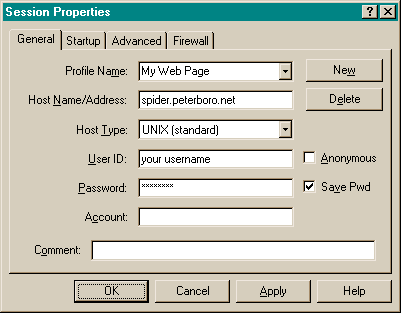
Choose a memorable profile name. |
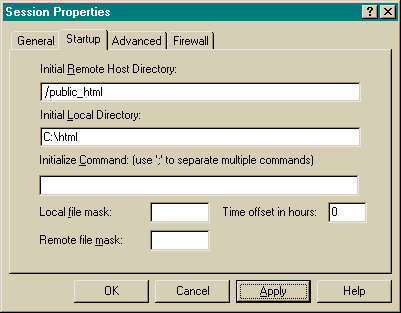 Be careful when filling out the "Initial Remote Host Directory:" box. This is the path to your public_html directory where all your web page files will be stored. The "Initial Local Directory:" is where you keep the web page files on your computer. Click on the "Apply" button and then click "OK" and WS_FTPLE will connect to the server and you will be ready to transfer your files! Be sure to name the first file "../index.html". Most UNIX servers default to that filename. Your webpage address will be http://www.1000island.net/~username/ |
This is similar to the screen you will see when you have successfully logged on to the server.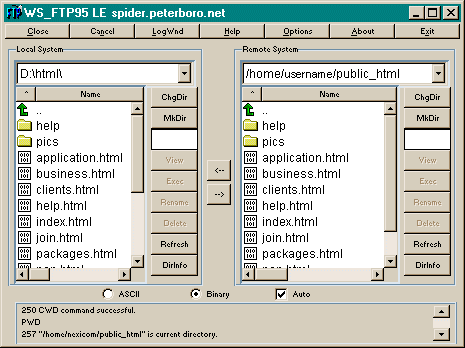 |