
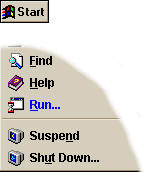
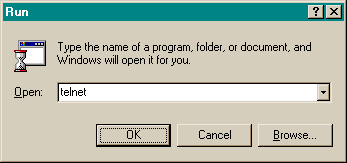
| It is a good idea to change your password periodically. In order to do that you need to use a program that comes with Windows 95. There are two ways to run Telnet to change your password, click here to start Telnet and log onto the server or you can use Telnet by clicking on the "Start" button and then clicking on "Run...". | Type in the word "telnet" and click "OK". |
 |
 |
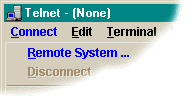
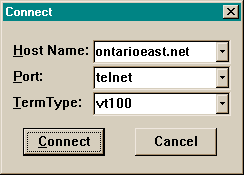
| Click on "Connect" and then "Remote System...". | Type in 1000island.net and click "Connect". |
 |
 |
| You will then be presented with a prompt asking you for your login. Type in your username and press "Enter". You will then be asked you for your password. Type in your password and press "Enter". You will then be prompted for your old password and the your new password. If you make mistake while you are typing, you can either hit "Ctrl" & "Backspace" to erase a typo or "Ctrl" & "c" to exit. For security reasons, the server will not update your new password for 15 minutes. | |
Back to Technical Support